Skip to content
Trailmetry

Suspension Intelligence

Understand how your suspension behaves.

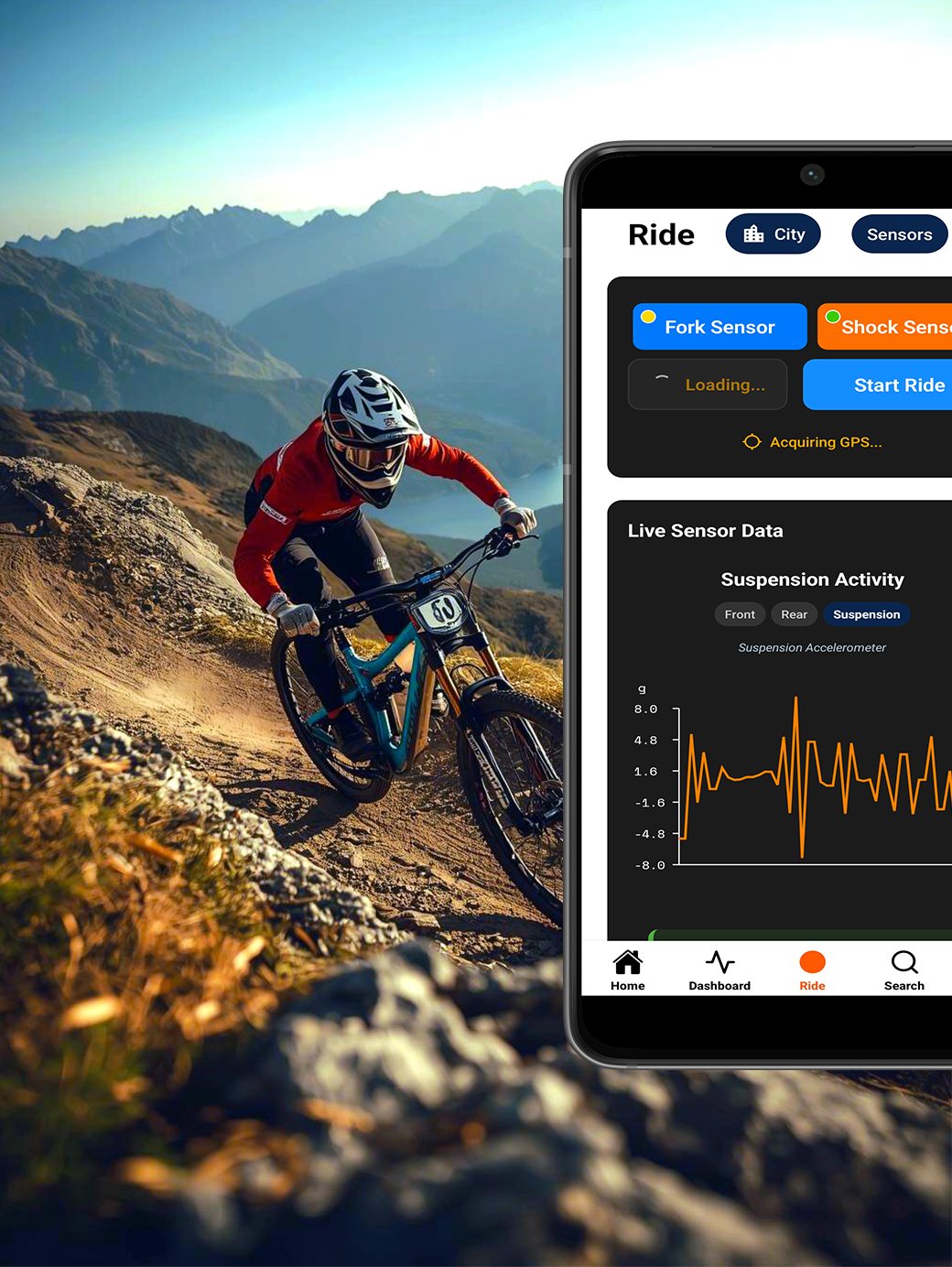
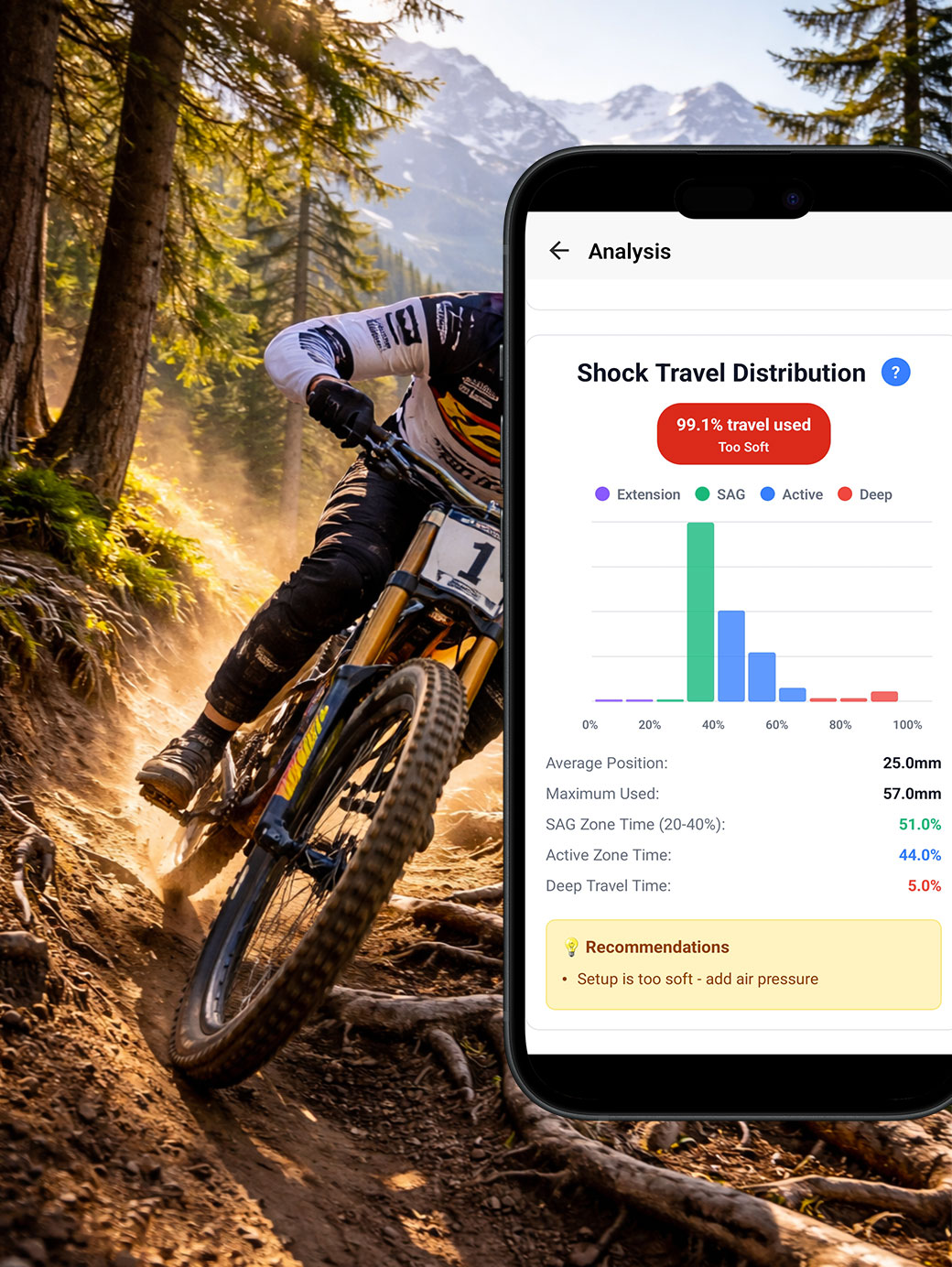
Mount a motion sensor on your fork, and another on your shock if you like, then ride. The Trailmetry app turns that IMU data into suspension activity, impacts and dynamics you can read after every ride.

The questions every ride can answer.

Every session turns your ride into actionable data, connected to your trail, your bike, your setup and the way you ride.

Are your fork and shock working together?

Compare front and rear suspension behaviour to understand how balanced your bike is across the trail.

  • Fork / shock comparison
  • Compression and rebound
  • Front-to-rear balance

Why it matters: a bike that is much busier at one end than the other usually feels unsettled. Seeing it on a chart tells you which end to work on first.

Where is your bike getting hit hardest?

See impact frequency and severity directly on the trail and identify the sections pushing your current setup.

  • GPS-located impacts
  • Impact frequency and intensity

Why it matters: when you know which rock garden or landing is causing the hits, you can judge whether it is the setup or the line.

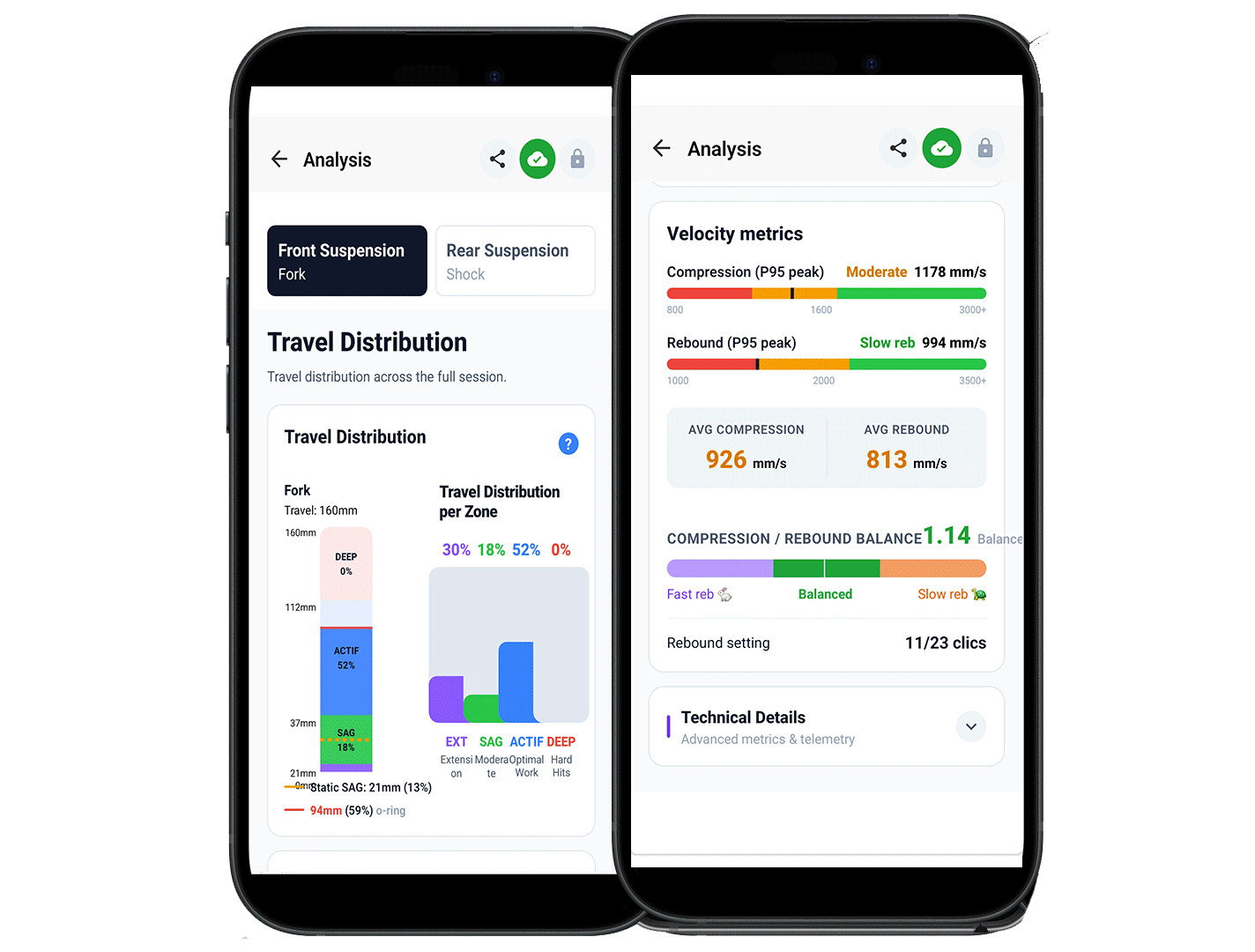
Compression and rebound velocity for fork and shock

How are your suspensions reacting on the trail?

Analyze compression and rebound velocity to see how your fork and shock respond across different sections of the trail and identify where LSC or LSR adjustments may improve your setup.

  • Compression velocity
  • Rebound velocity
  • Identify LSC / LSR adjustments

Capture. Analyze. Dial In.

From your first ride to a setup that works.

  1. Ride

    Mount your sensors and ride. Trailmetry captures suspension movement and impact events, synchronized with GPS throughout your session.

  2. Explore

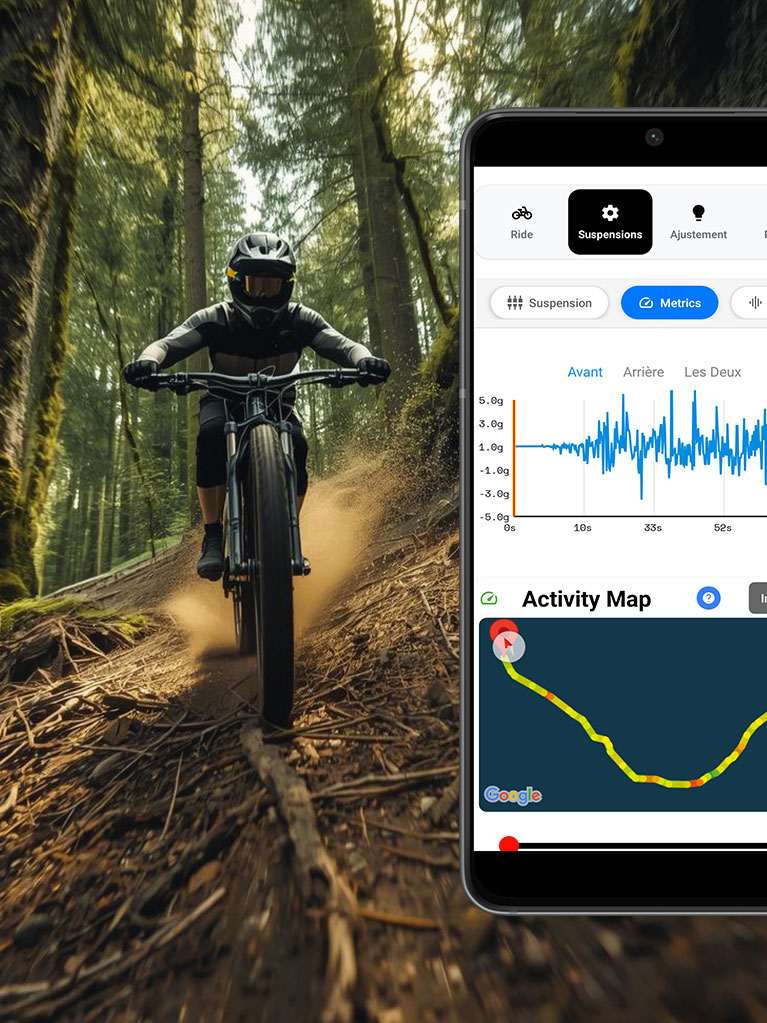
    Explore your entire session in one place. See suspension activity, impacts, bottom-outs, GPS and other ride data from start to finish.

  3. Advanced suspension analysis in the Trailmetry app

    Analyze

    Explore compression and rebound activity, and how your suspension responded across the trail.

  4. Setup guidance after a ride

    Dial In

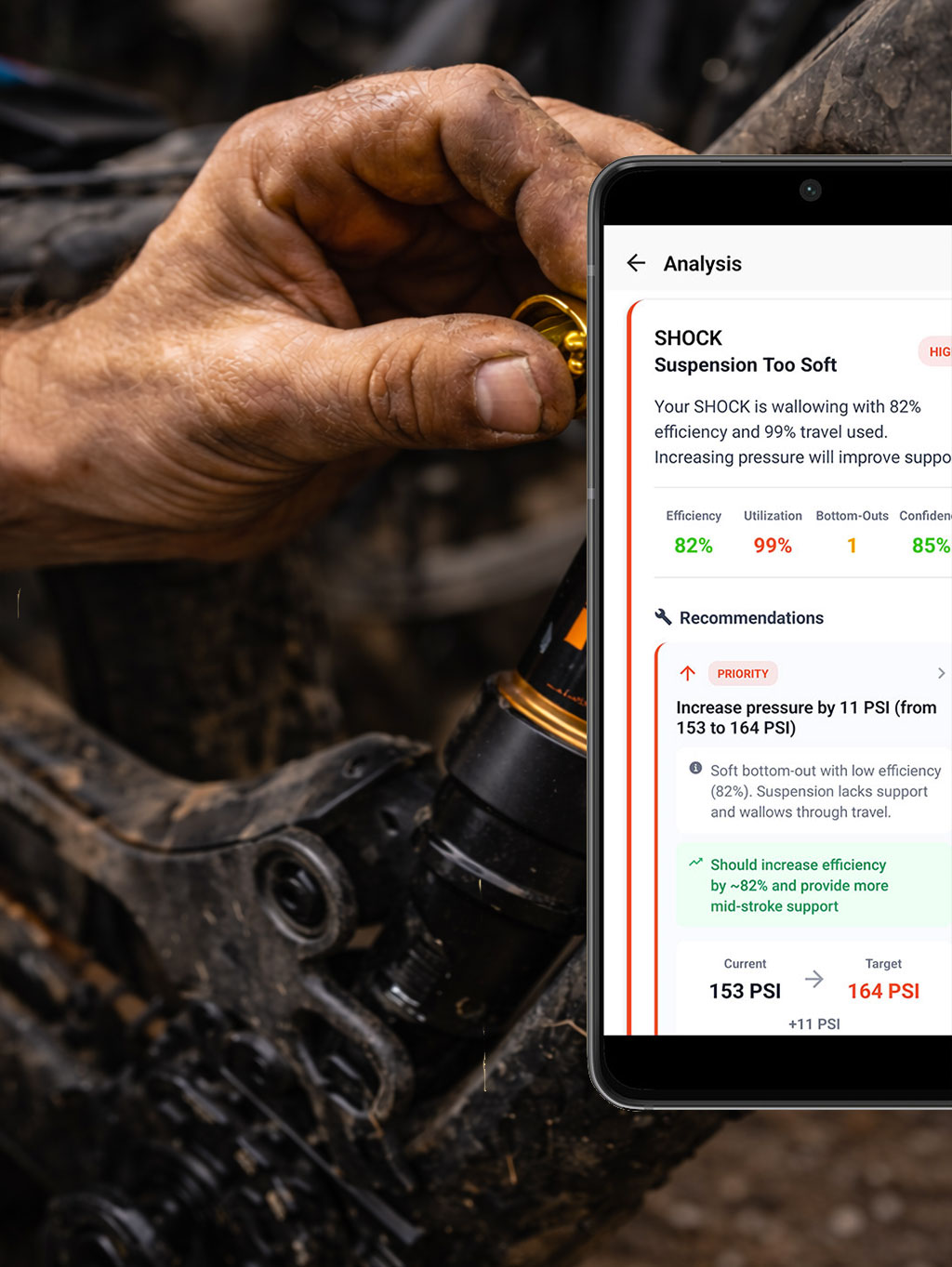
    Get guidance on air pressure, compression, rebound and bike balance, based on your real ride data. Know what to try next.

Inside the app.

Scroll through the screens you get after every ride.
What should you change for your next ride?

Get concrete starting points for your next setup adjustment, rather than generic suspension charts.

Setup guidance

  • Air pressure direction and starting points
  • Rebound and compression guidance
  • Weather-aware suggestions for tomorrow's conditions

AI Post-Ride Debrief

  • What changed
  • Patterns across your history
  • One priority action

Every trail. Every bike. Every setup that worked.

Trailmetry builds a reference of real-world ride data—bikes, setups, suspension behaviour, impacts, conditions and rider feedback—linked to specific trails. See what worked for other riders before you drop in.
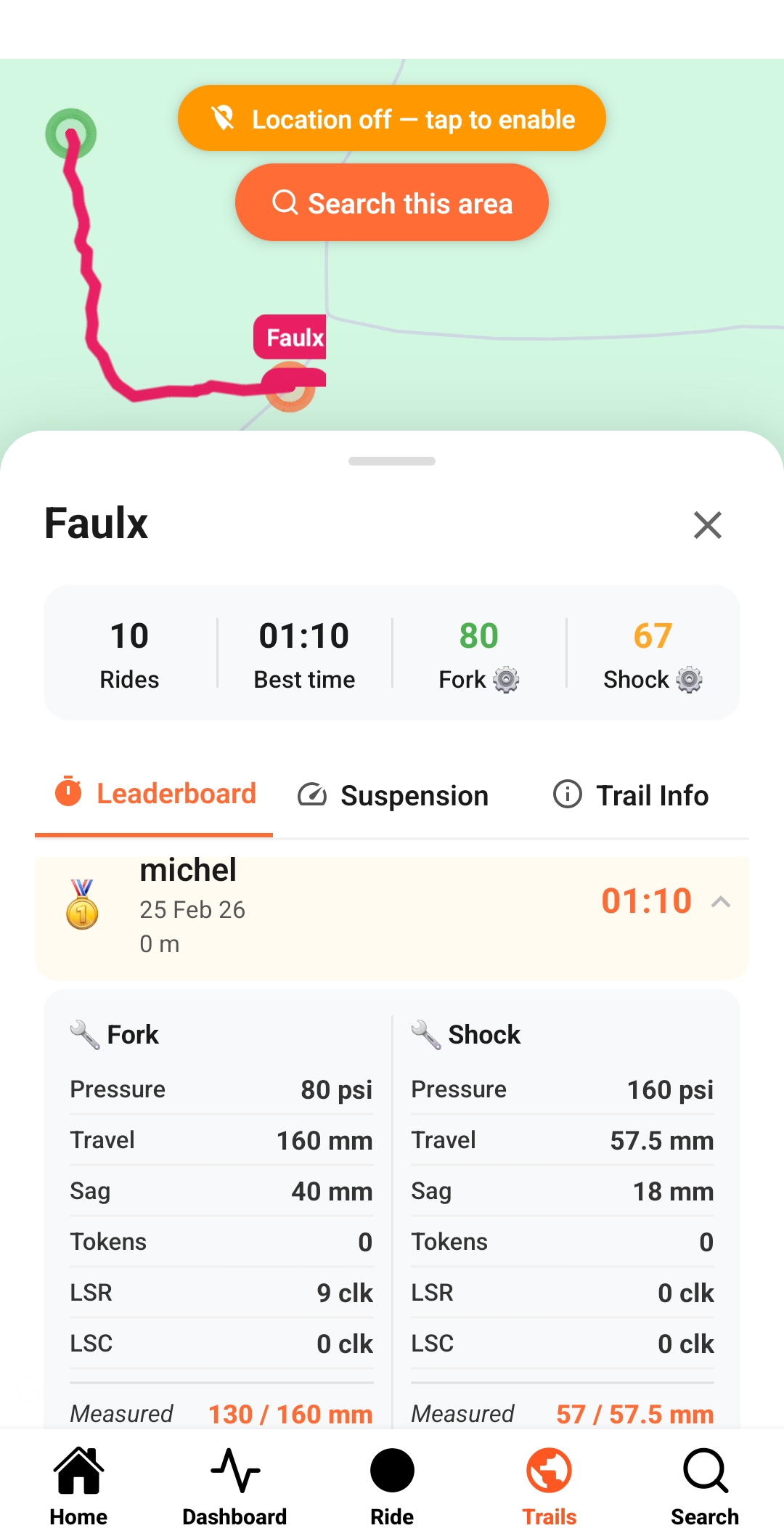
Trail suspension board ranking setups by score

Trail Suspension Board

Every setup ever ridden on this trail, ranked by score.
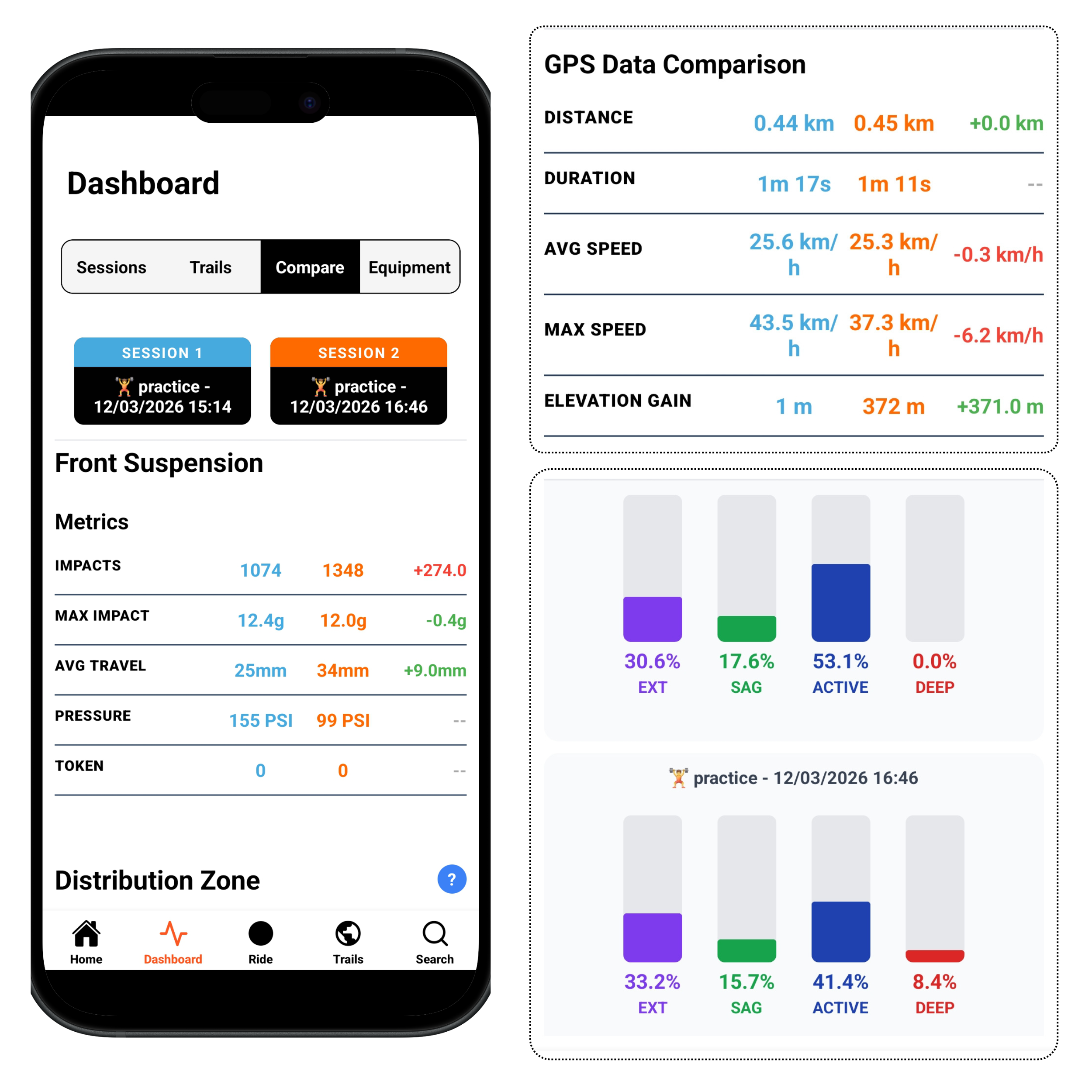
Two sessions on the same trail compared side by side

Setup Comparison

Pick any two sessions on the same trail and compare them directly. Pressure, rebound, score and suspension behaviour line up, so you can see what changed and what it produced.
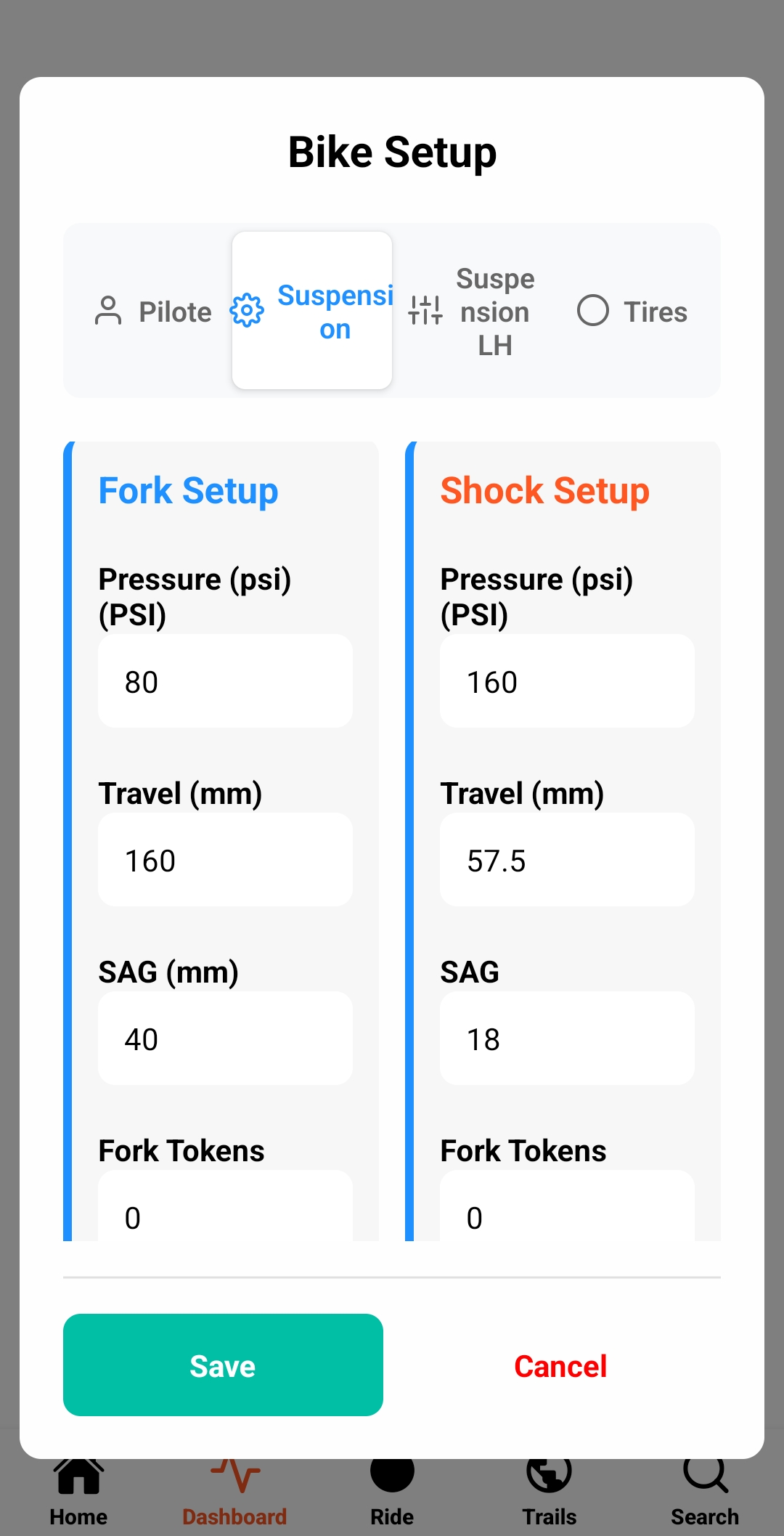
Setup log with pressure, rebound and compression

Your Setup Log

Your setup, linked to every trail you've ridden.
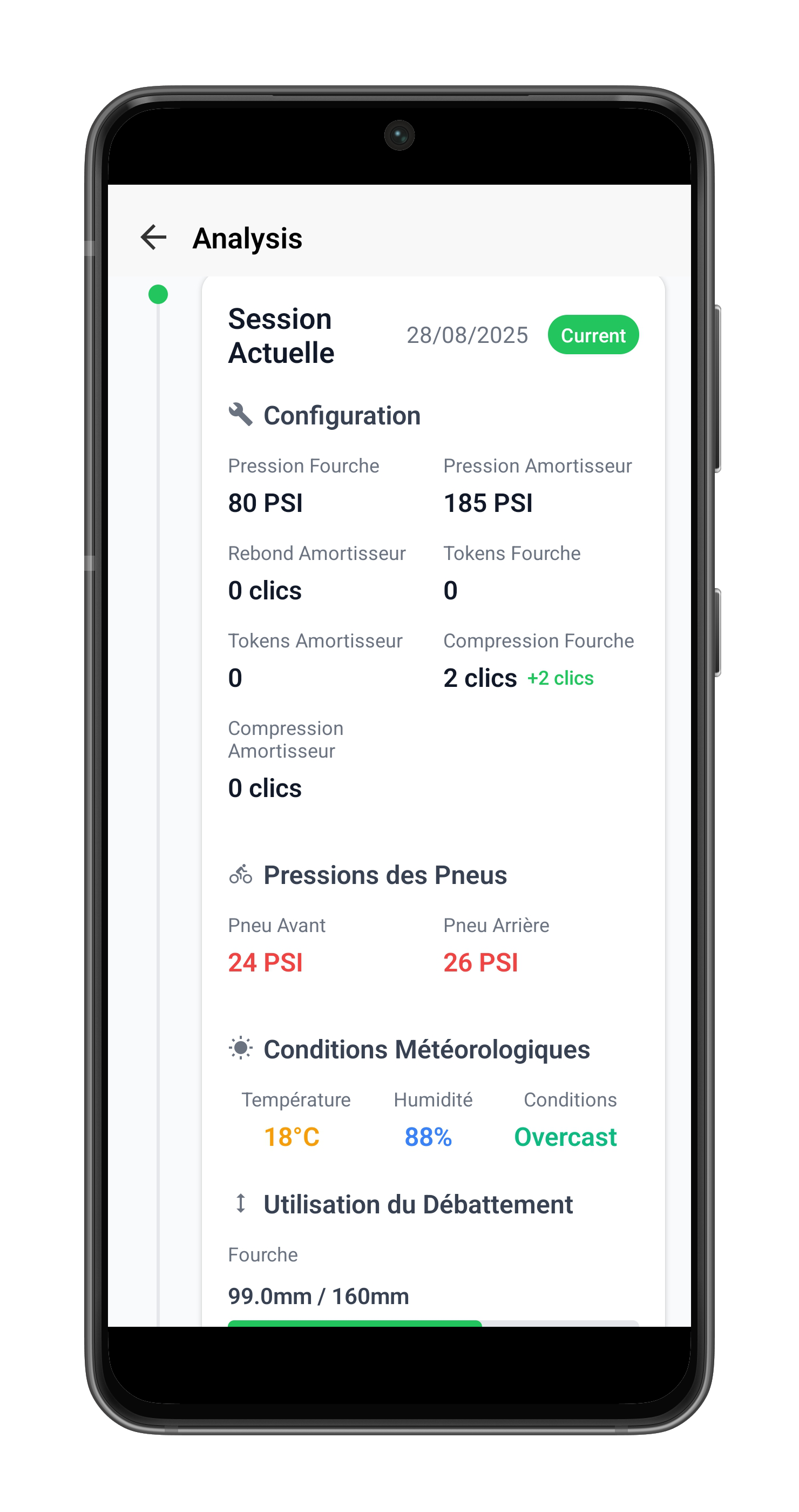
Session progression on the same trail

Full history

What was my best setup the last time I rode this trail?

Powered by Witmotion Sensors

Trailmetry works with Witmotion WT9011DCL-BT50 BLE sensors to collect consistent IMU data for ride and suspension analysis. Mount them on your fork and shock and pair them with your smartphone.

Sensors are sold by Witmotion. The links below open the official Witmotion store.
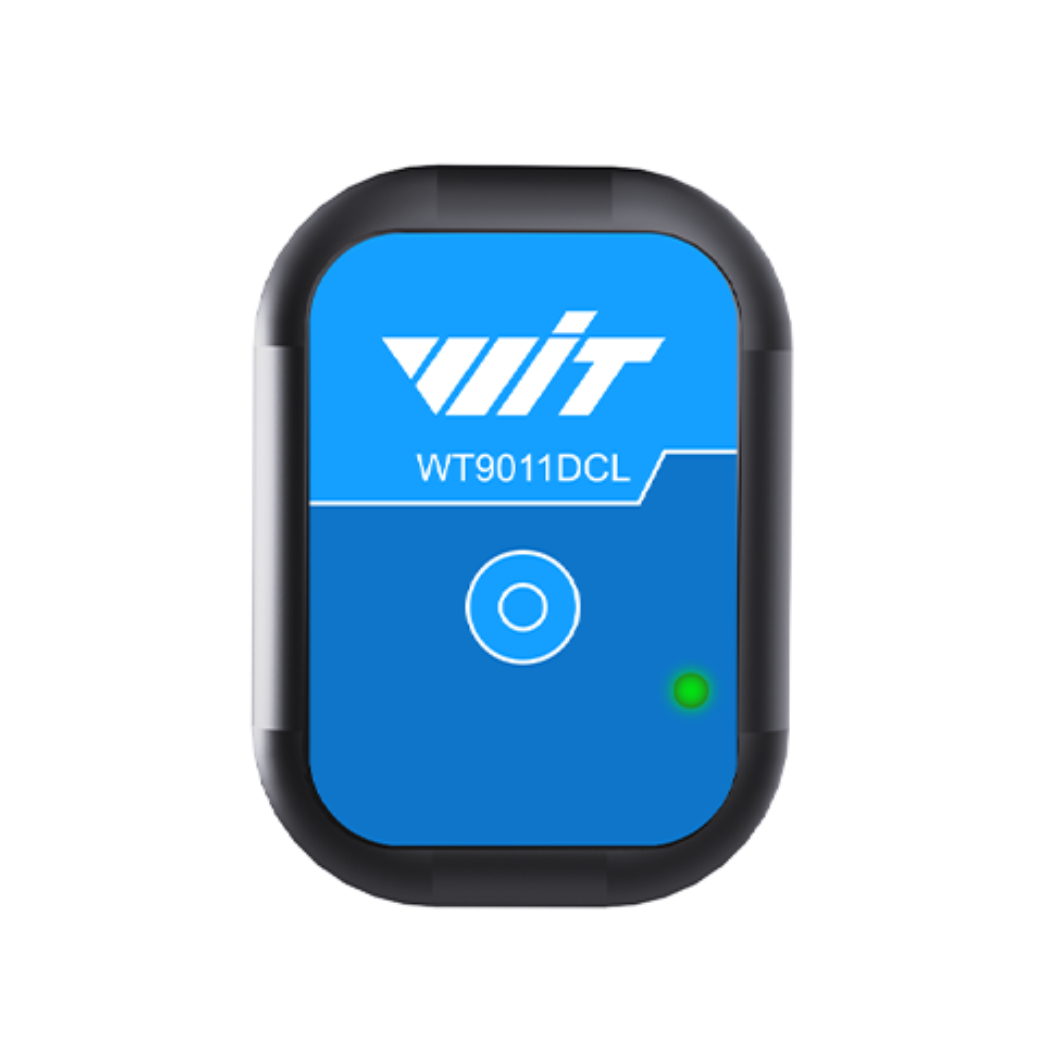
Witmotion WT9011DCL-BT50 sensor

1 Witmotion WT9011DCL-BT50 Sensor

  • 9-axis IMU sensor
  • Bluetooth 5.0 Low Energy
  • 1 USB-C charging cable included
Buy Sensor
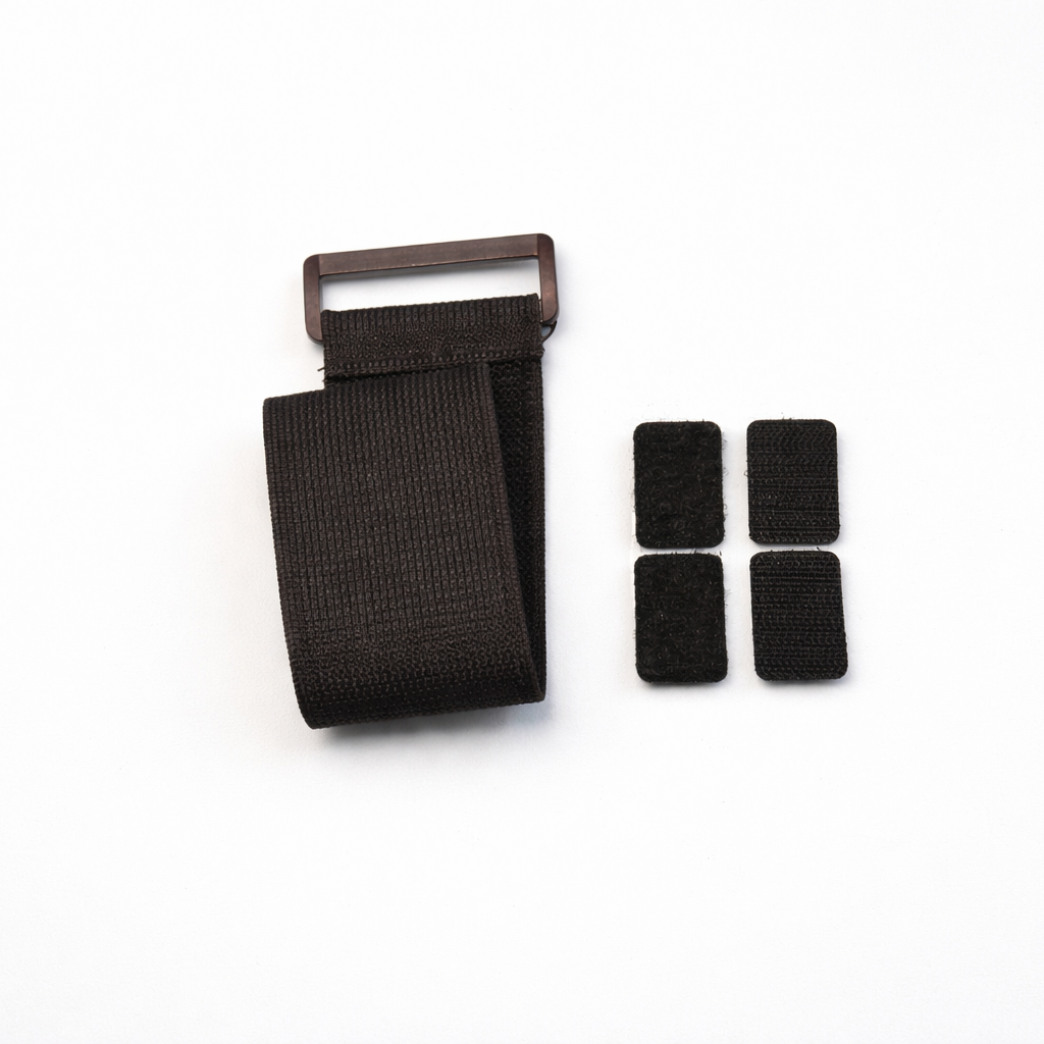
Mounting strap kit

1 Mounting Strap Kit

  • Heavy-duty velcro strap band
  • 1 Velcro back plate for sensor attachment
  • Easy installation—no tools required
Buy Mounting Kit

One sensor on your fork. Free app.

Start with one Witmotion sensor (€25) on your fork and the free app. Upgrade to Core or Connect whenever you want full front and rear analysis.
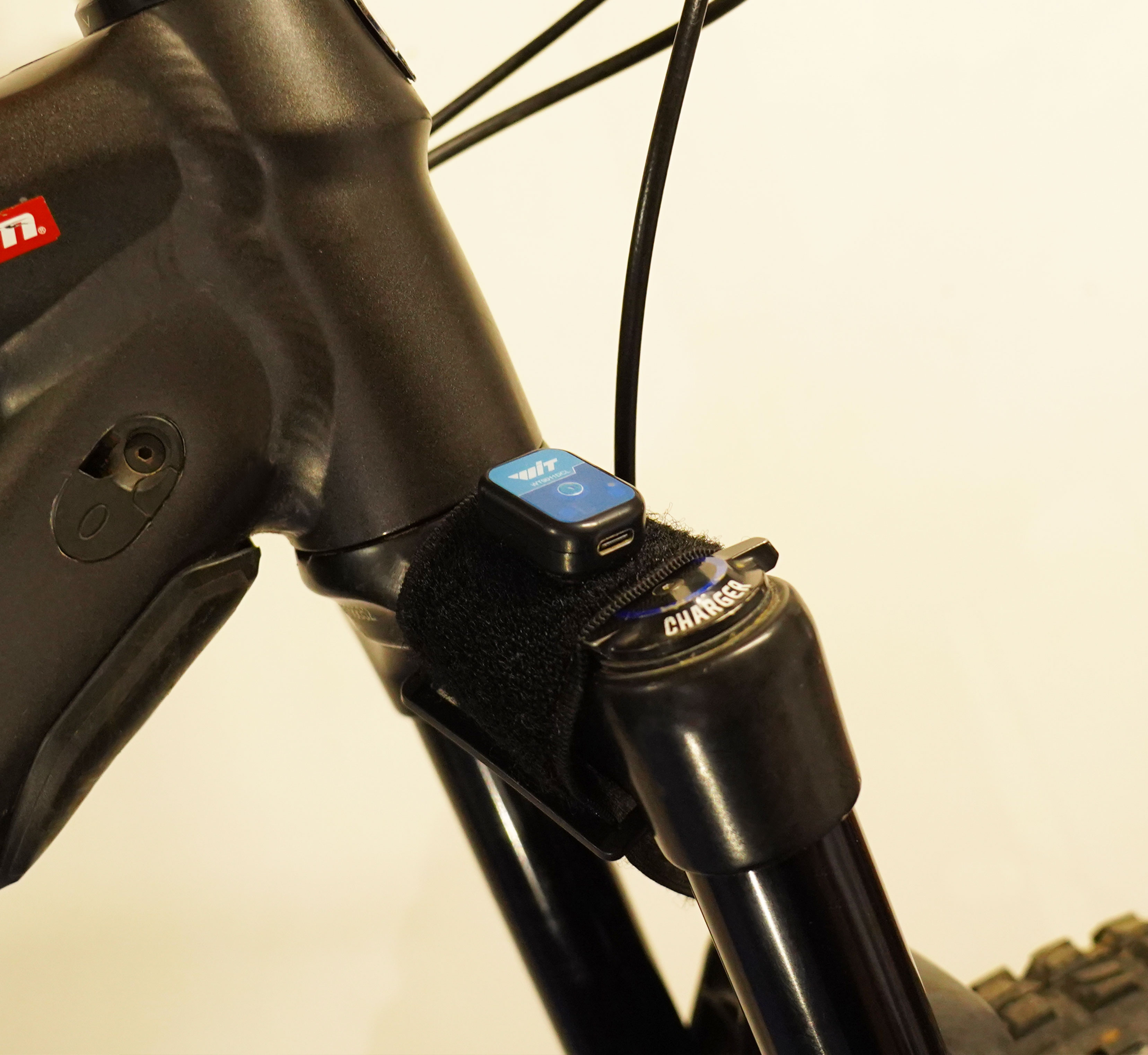
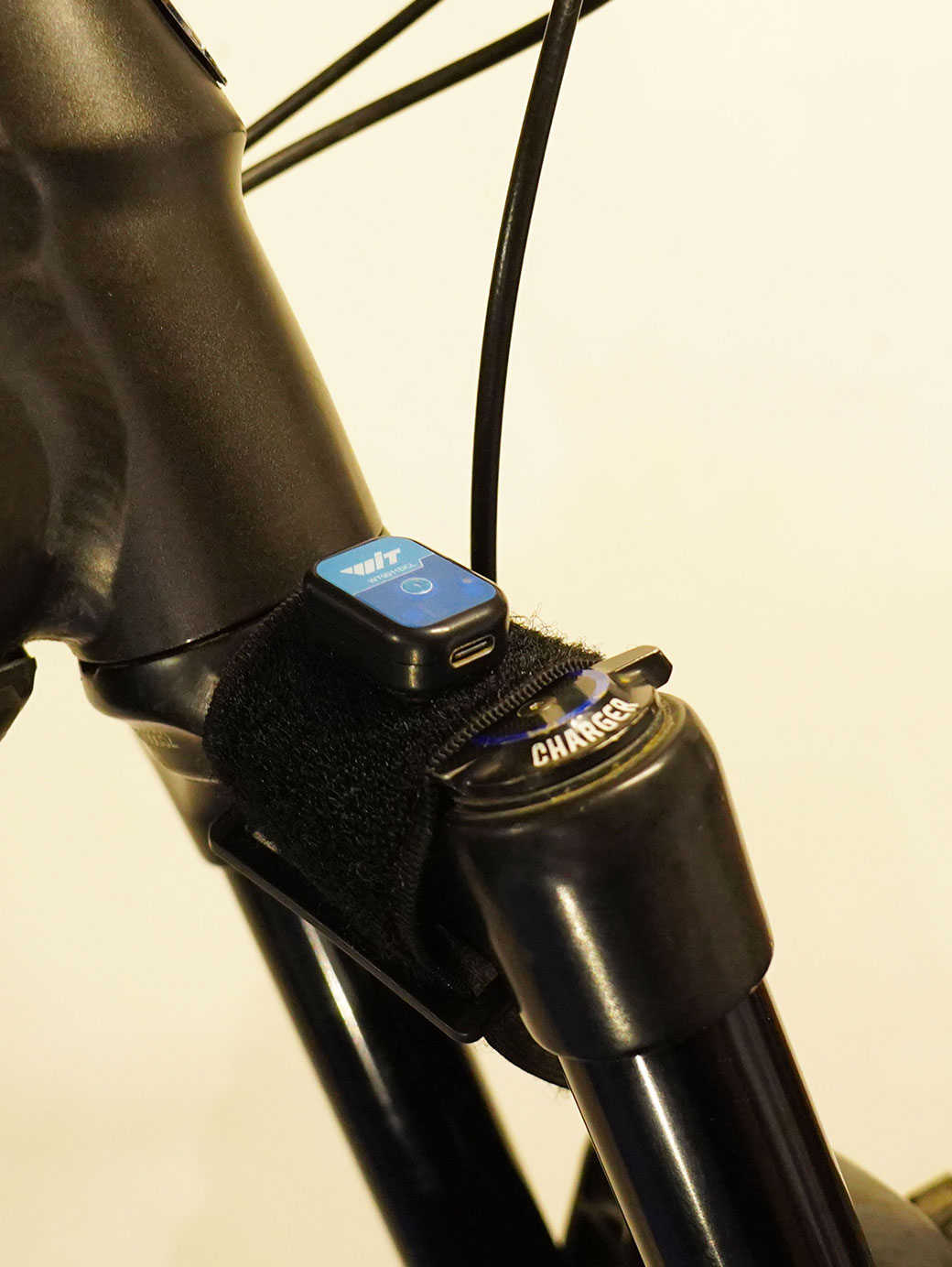
Sensor mounted on the fork

Step 1: Fork Sensor

Mount a Witmotion WT9011DCL-BT50 on your fork and start recording. Get immediate insight into how your fork behaves on the trail.

  • Fork activity and bottom-out detection
  • GPS impact maps
  • Unlimited session recording

Price: €25 (single sensor) + Free app
Download on the App Store Get it on Google Play
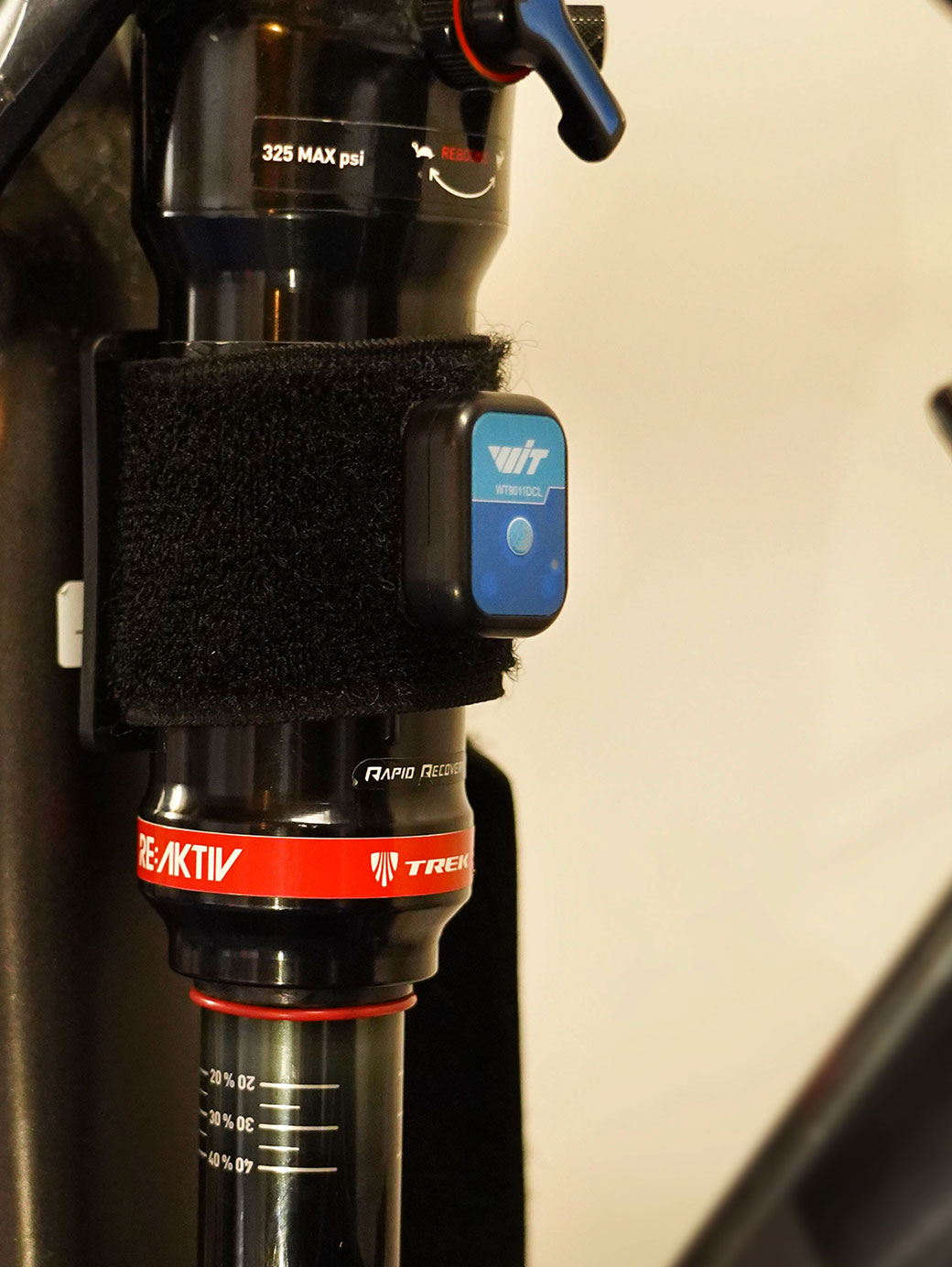
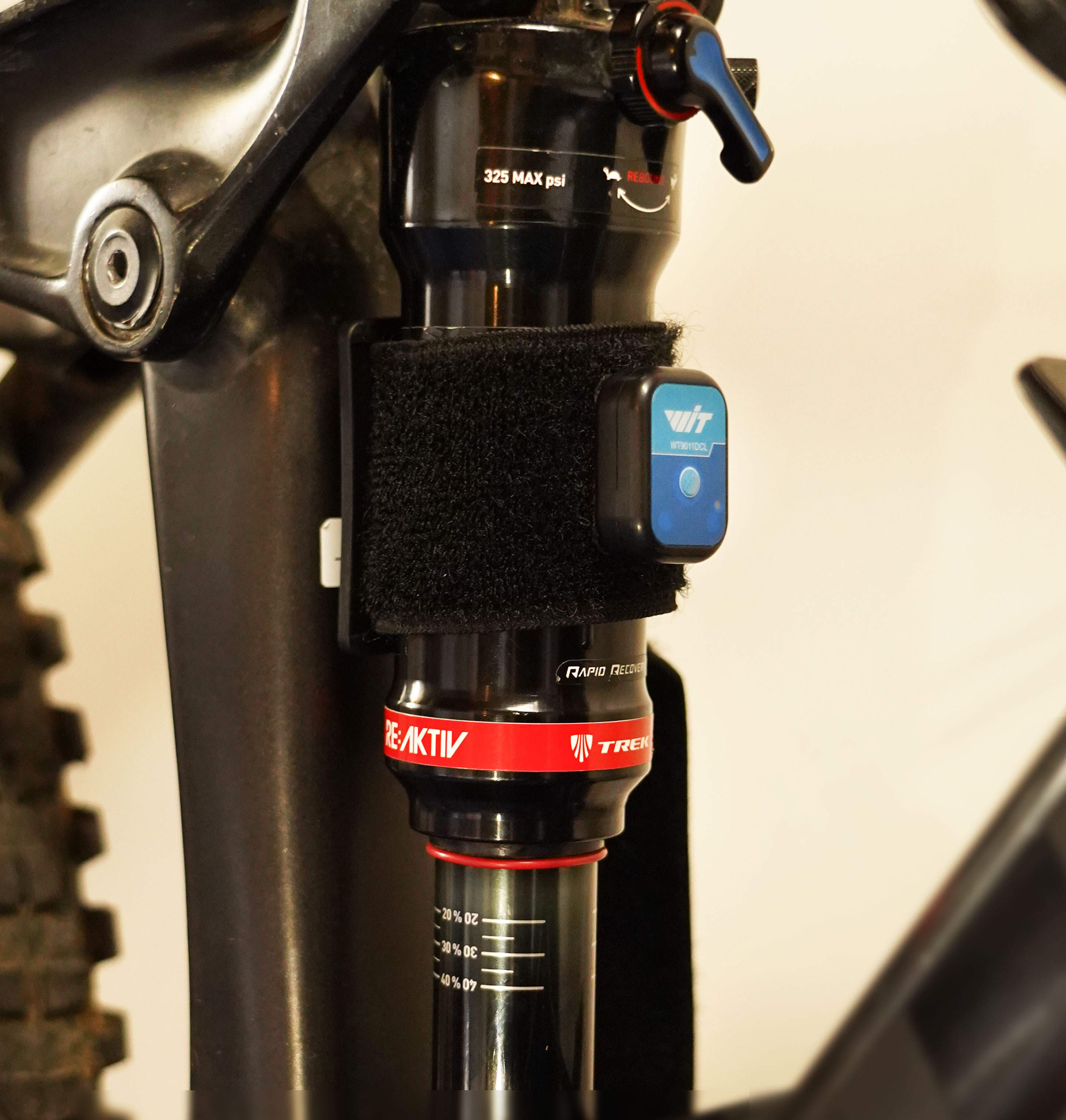
Sensor mounted on the rear shock

Step 2: Rear Shock (Optional)

Add a second sensor to your rear shock for complete front-to-rear suspension analysis.

  • Front and rear suspension analysis
  • Compression and rebound activity
  • AI-powered setup guidance

Price: €25 (second sensor) + Core subscription

New to the sensors? The getting started guide covers placement, calibration and your first ride. Best Practices

Frequently Asked Questions

What sensors do I need?
One Witmotion WT9011DCL-BT50 sensor (€25) on your fork to start: free app, no subscription required. Want full front and rear analysis? Add a second sensor (€25) and a Core subscription (€4.99/month). Both sensors are identical, weatherproof, and last weeks per charge.
Does Trailmetry measure fork and shock travel directly?
No. Trailmetry's sensors are IMUs: they record how the fork and shock move, not a direct travel reading. The analysis is built from that motion data, and the getting started guide shows how to use your O-rings as a real-world cross-check.
Does the app work offline?
Yes. Record and review rides entirely offline. Cloud sync is optional and your data stays on your device unless you choose to back it up.
What platforms does Trailmetry support?
Android and iOS. Both get the same features with full parity. Your data syncs across devices when you enable cloud backup.
How do I charge the sensors?
Each sensor includes a USB-C cable. Sensors automatically sleep when not moving, giving weeks of battery life between charges. A full charge takes roughly 2 hours and supports 8+ hours of active recording.
What's the difference between Core and Connect?
Core (€4.99/month): Complete fork and shock analysis, AI-powered setup guidance, session comparisons—everything you need to work on your setup. Connect (€9.99/month): Everything in Core plus community features: share sessions publicly, compare with other riders, trail leaderboards, and advanced AI deep analysis.

Video Intelligence

Add the view from the trail.

Suspension data tells you what the bike did. Trailmetry Video shows where you gained or lost time, and can play your Trailmetry session alongside the footage.

a Trailmetry Suspension — IMU suspension analysis for mountain bikes | Suspension Intelligence Skip to content
Trailmetry

Suspension Intelligence

Understand how your suspension behaves.

Mount a motion sensor on your fork, and another on your shock if you like, then ride. The Trailmetry app turns that IMU data into suspension activity, impacts and dynamics you can read after every ride.

The questions every ride can answer.

Every session turns your ride into actionable data, connected to your trail, your bike, your setup and the way you ride.

Are your fork and shock working together?

Compare front and rear suspension behaviour to understand how balanced your bike is across the trail.

  • Fork / shock comparison
  • Compression and rebound
  • Front-to-rear balance

Why it matters: a bike that is much busier at one end than the other usually feels unsettled. Seeing it on a chart tells you which end to work on first.

Where is your bike getting hit hardest?

See impact frequency and severity directly on the trail and identify the sections pushing your current setup.

  • GPS-located impacts
  • Impact frequency and intensity

Why it matters: when you know which rock garden or landing is causing the hits, you can judge whether it is the setup or the line.

Compression and rebound velocity for fork and shock

How are your suspensions reacting on the trail?

Analyze compression and rebound velocity to see how your fork and shock respond across different sections of the trail and identify where LSC or LSR adjustments may improve your setup.

  • Compression velocity
  • Rebound velocity
  • Identify LSC / LSR adjustments

Capture. Analyze. Dial In.

From your first ride to a setup that works.

  1. Ride

    Mount your sensors and ride. Trailmetry captures suspension movement and impact events, synchronized with GPS throughout your session.

  2. Explore

    Explore your entire session in one place. See suspension activity, impacts, the share of low-speed and high-speed compression and rebound, GPS and other ride data from start to finish.

  3. Advanced suspension analysis in the Trailmetry app

    Analyze

    Explore compression and rebound activity, and how your suspension responded across the trail.

  4. Setup guidance after a ride

    Dial In

    Get guidance on air pressure, compression, rebound and bike balance, based on your real ride data. Know what to try next.

Inside the app.

Scroll through the screens you get after every ride.

What should you change for your next ride?

Get concrete starting points for your next setup adjustment, rather than generic suspension charts.

Setup guidance

  • Air pressure direction and starting points
  • Rebound and compression guidance
  • Weather-aware suggestions for tomorrow's conditions

AI Post-Ride Debrief

  • What changed
  • Patterns across your history
  • One priority action

Every trail. Every bike. Every setup that worked.

Trailmetry builds a reference of real-world ride data—bikes, setups, suspension behaviour, impacts, conditions and rider feedback—linked to specific trails. See what worked for other riders before you drop in.

Trail suspension board ranking setups by score

Trail Suspension Board

Every setup ever ridden on this trail, ranked by score.

Two sessions on the same trail compared side by side

Setup Comparison

Pick any two sessions on the same trail and compare them directly. Pressure, rebound, score and suspension behaviour line up, so you can see what changed and what it produced.

Setup log with pressure, rebound and compression

Your Setup Log

Your setup, linked to every trail you've ridden.

Session progression on the same trail

Full history

What was my best setup the last time I rode this trail?

Powered by Witmotion Sensors

Trailmetry works with Witmotion WT9011DCL-BT50 BLE sensors to collect consistent IMU data for ride and suspension analysis. Mount them on your fork and shock and pair them with your smartphone.

Sensors are sold by Witmotion. The links below open the official Witmotion store.

Witmotion WT9011DCL-BT50 sensor

1 Witmotion WT9011DCL-BT50 Sensor

  • 9-axis IMU sensor
  • Bluetooth 5.0 Low Energy
  • 1 USB-C charging cable included
Buy Sensor
Mounting strap kit

1 Mounting Strap Kit

  • Heavy-duty velcro strap band
  • 1 Velcro back plate for sensor attachment
  • Easy installation—no tools required
Buy Mounting Kit

One sensor on your fork. Free app.

Start with one Witmotion sensor (€25) on your fork and the free app. Upgrade to Core or Connect whenever you want full front and rear analysis.

Sensor mounted on the fork

Step 1: Fork Sensor

Mount a Witmotion WT9011DCL-BT50 on your fork and start recording. Get immediate insight into how your fork behaves on the trail.

  • Fork activity and bottom-out detection
  • GPS impact maps
  • Unlimited session recording

Price: €25 (single sensor) + Free app

Download on the App Store Get it on Google Play
Sensor mounted on the rear shock

Step 2: Rear Shock (Optional)

Add a second sensor to your rear shock for complete front-to-rear suspension analysis.

  • Front and rear suspension analysis
  • Compression and rebound activity
  • AI-powered setup guidance

Price: €25 (second sensor) + Core subscription

New to the sensors? The getting started guide covers placement, calibration and your first ride. Best Practices

Frequently Asked Questions

What sensors do I need?
One Witmotion WT9011DCL-BT50 sensor (€25) on your fork to start: free app, no subscription required. Want full front and rear analysis? Add a second sensor (€25) and a Core subscription (€4.99/month). Both sensors are identical, weatherproof, and last weeks per charge.
Does Trailmetry measure fork and shock travel directly?
No. Trailmetry's sensors are IMUs: they record how the fork and shock move, not a direct travel reading. The analysis is built from that motion data, and the getting started guide shows how to use your O-rings as a real-world cross-check.
Does the app work offline?
Yes. Record and review rides entirely offline. Cloud sync is optional and your data stays on your device unless you choose to back it up.
What platforms does Trailmetry support?
Android and iOS. Both get the same features with full parity. Your data syncs across devices when you enable cloud backup.
How do I charge the sensors?
Each sensor includes a USB-C cable. Sensors automatically sleep when not moving, giving weeks of battery life between charges. A full charge takes roughly 2 hours and supports 8+ hours of active recording.
What's the difference between Core and Connect?
Core (€4.99/month): Complete fork and shock analysis, AI-powered setup guidance, session comparisons—everything you need to work on your setup. Connect (€9.99/month): Everything in Core plus community features: share sessions publicly, compare with other riders, trail leaderboards, and advanced AI deep analysis.

Video Intelligence

Add the view from the trail.

Suspension data tells you what the bike did. Trailmetry Video shows where you gained or lost time, and can play your Trailmetry session alongside the footage.